How to connect Virgin Australia in ChatGPT

Go to Apps in the ChatGPT sidebar

Search for Virgin Australia

Connect the app to your ChatGPT account

When you’re ready to start planning, select Virgin Australia using the “+” in the ChatGPT chat window

Search smarter with Virgin Australia

Plan your trip in ChatGPT by simply describing what you’re looking for in your own words, whether that’s finding great-value fares or exploring destinations within a set budget.

View real-time flight schedules and times and compare a summary of fares across dates in one place in ChatGPT.
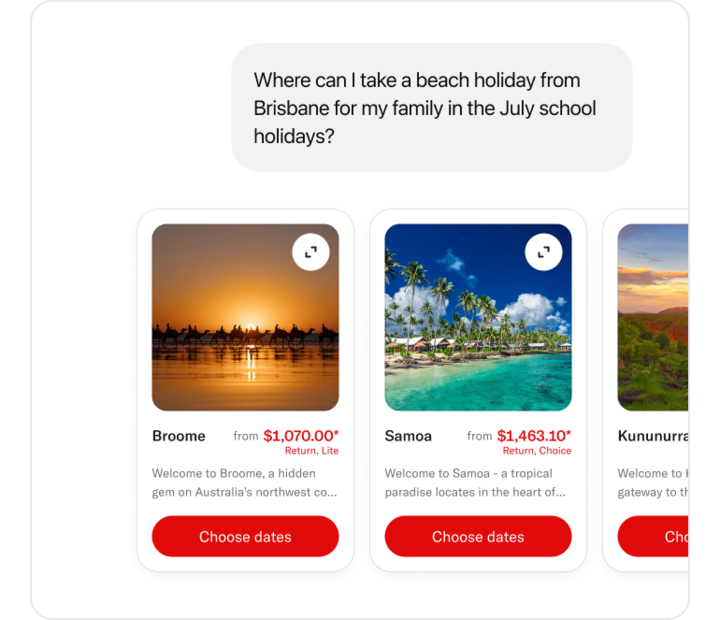
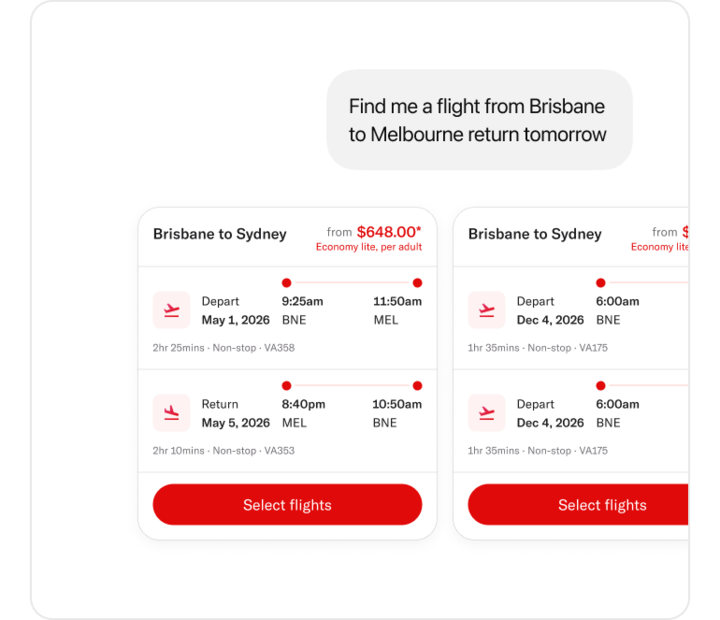
ChatGPT interface showing conversation with AI displaying fares

ChatGPT can also help you:

  • Discover destinations based on your budget or departure city
  • Compare a summary of fares including, Points + Pay options and Reward Seat availability in one place
  • Find information about the best-value travel periods across different dates
  • View a summary of lowest fares across multiple days to help you choose the right time to travel

It’s the fastest way to find your flight.

Once you’ve found your preferred option, you’ll be directed to complete your booking on the Virgin Australia website.

This gives you:

  • The ability to add your Velocity details, access to your member benefits and complete a booking using Points
  • A secure environment for passenger and payment details
  • A consistent and trusted Virgin Australia booking experience.

Virgin Australia in ChatGPT is subject to applicable Terms of Use. All fares shown are subject to availability and prices are not guaranteed until full payment is received or a reservation number provided.